My Flights
The full logbook lives here — every flight you've ever saved, grouped by year, sorted from most recent to oldest.
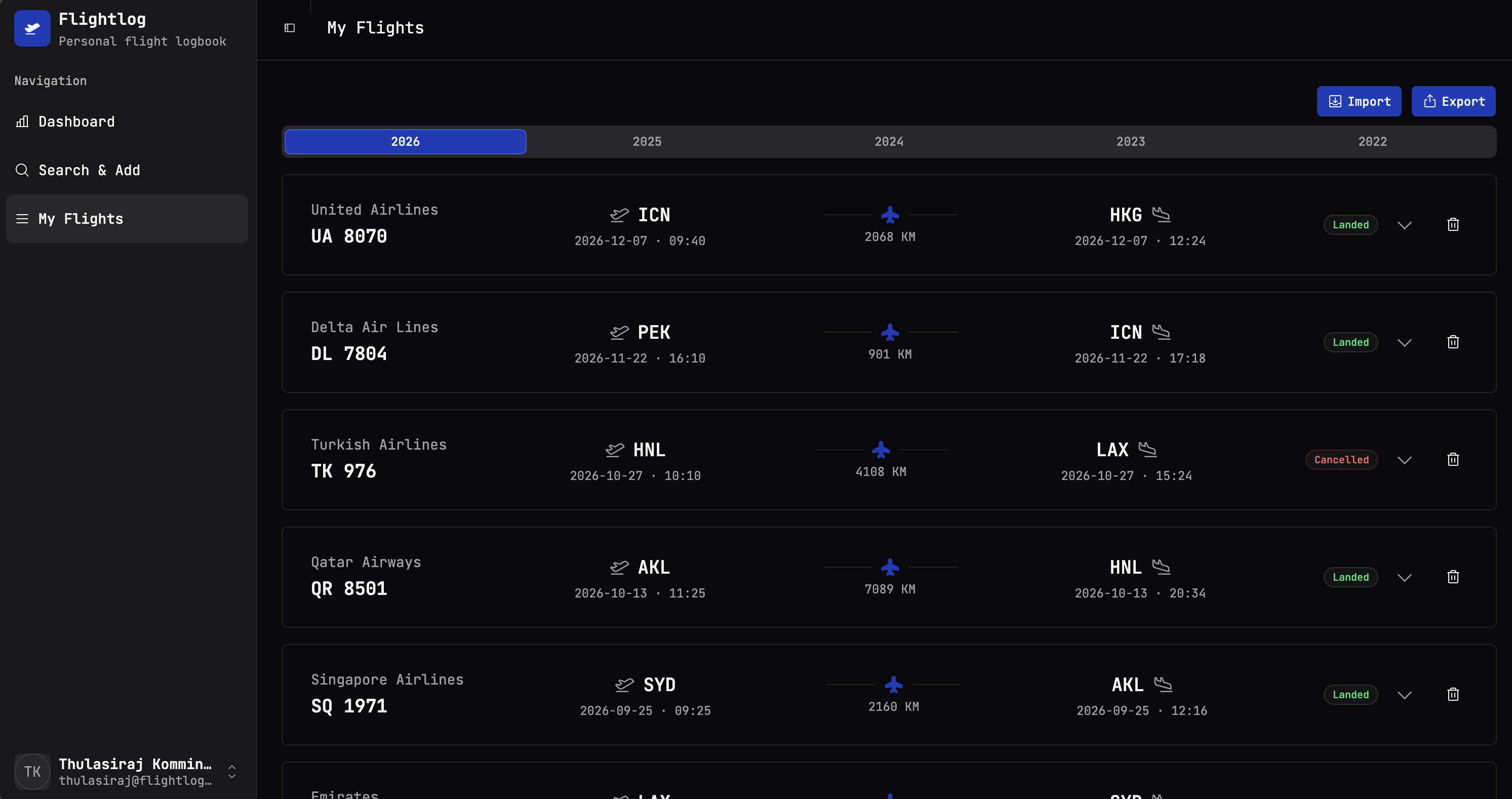
Year tabs
The row of years across the top is a quick filter. Click a year to scope the list below to that year only — handy when you want to see "how much did I fly in 2024?" without scrolling.
The currently selected year is highlighted in the brand blue; years with no flights still show in the tab strip, just dimmed.
The flight rows
Each row is a one-line summary of a flight:
- Airline + flight number on the far left
- Origin IATA, with date and local departure time
- Distance in km, with a small aeroplane icon for visual orientation
- Destination IATA, with date and local arrival time
- Status badge —
Landed,Cancelled, etc. - Chevron to expand the row
- Trash icon to delete the flight
Expanding a row
Click the chevron on the right-hand side of any row and it opens up to show the full detail — the same view you saw on the Search & Add page when you originally saved it: terminals, gates, scheduled vs runway times, aircraft type, UTC times, the lot.
This is the cached snapshot from the moment you added the flight. Flightlog doesn't re-poll AeroDataBox to refresh historical flights — once it's in your log, it stays exactly the way it was when you saved it. Which is usually what you want for a historical record, but worth knowing if a flight was still in the air when you added it.
Deleting a flight
The trash icon prompts for confirmation, then removes the flight permanently. The dashboard totals update immediately to reflect the deletion.
If you delete by accident: the only "undo" is to re-search and re-add. Flightlog doesn't keep a tombstone.
There's no soft-delete
Deletion is final. If you're about to do a big cleanup and you're not 100% sure, export your data first (Export). The CSV is your backup — you can re-import it later if you change your mind.
Import & Export buttons
The top-right of the page holds the two data-portability buttons:
- Import — bring flights in from a Flighty CSV or a previous Flightlog export.
- Export — dump your entire logbook to a CSV file.
Both are covered in detail on the Import & Export page.